JeepParts
My Garage
My Account
Cart
OEM 2001 Chrysler Voyager Camshaft
Cam- Select Vehicle by Model
- Select Vehicle by VIN
Select Vehicle by Model
orMake
Model
Year
Select Vehicle by VIN
For the most accurate results, select vehicle by your VIN (Vehicle Identification Number).
3 Camshafts found
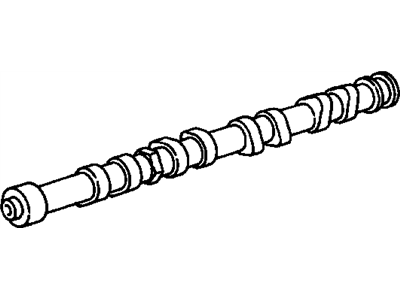
2001 Chrysler Voyager Camshaft Part Number: 4781679AB
$220.27 MSRP: $457.00You Save: $236.73 (52%)Ships in 1-2 Business DaysProduct Specifications- Other Name: Camshaft - Exhaust; Camshaft Exhaust
- Replaces: 4781679AA
- Item Weight: 4.70 Pounds
- Item Dimensions: 21.6 x 3.9 x 6.0 inches
- Condition: New
- Fitment Type: Direct Replacement
- SKU: 4781679AB
- Warranty: This genuine part is guaranteed by Mopar's factory warranty.
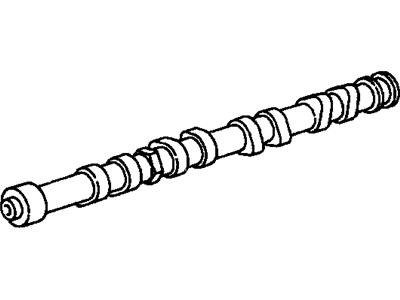
2001 Chrysler Voyager Camshaft Part Number: 4781678AA
Product Specifications- Other Name: Camshaft - Intake; Camshaft Intake
- Item Weight: 4.50 Pounds
- Item Dimensions: 19.2 x 4.1 x 6.0 inches
- Condition: New
- Fitment Type: Direct Replacement
- SKU: 4781678AA
- Warranty: This genuine part is guaranteed by Mopar's factory warranty.
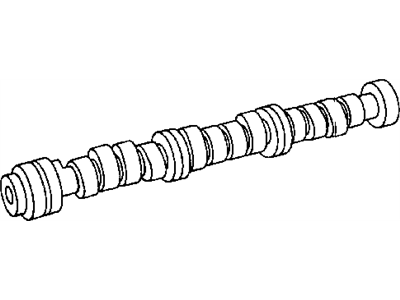

2001 Chrysler Voyager Camshaft Part Number: 4781013AA
Product Specifications- Other Name: Camshaft - Engine; Camshaft Engine
- Item Weight: 6.90 Pounds
- Condition: New
- Fitment Type: Direct Replacement
- SKU: 4781013AA
- Warranty: This genuine part is guaranteed by Mopar's factory warranty.
2001 Chrysler Voyager Camshaft Parts and Q&A
- Q: How to Remove and Reinstall a Camshaft on 2001 Chrysler Voyager?A: The first step is to get rid of the cylinder head cover, then to remove the camshaft position sensor and magnet for the camshaft target. Then, remove the timing belt and next take off the camshaft sprockets and the rear cover for the timing belt. First, it is important to know the places of bearing caps, by taking out the outermost bearing caps as a start. Carefully remove the camshaft cap tightening screws in the order given for each camshaft, so you do not mix up camshafts, attending to the fact that the Intake cam (journal #6 ) has a larger spacing between the cam lobe and the thrust bearing. Figure out which camshafts you have and then uninstall them. Place a marker on each rocker arm that reminds you where it needs to be when being replaced. During the camshaft installation, do not have any pistons be at top dead center. Lubricate all camshaft bearing journals, the rocker arms and their lobes and afterward, make sure to put them in their original places if they were reused. Now, place each camshaft on the cylinder head bearing journals and mount caps No. 2 - 5 and No. 6 to their left and right. Secure the M6 fasteners to each bearing cap with a torque of 12 Nm (105 in. lbs.) in the proper order. Use Mopar Gasket Maker on bearing caps 1 and 6, fit them in and set the M8 fasteners to 28 Nm (250 in. lbs.). It is necessary to fit the end caps onto the bearing races before the seals can go on. After this, slide on the oil seals for the camshafts, then the target magnet and position sensor. After that, mount the cylinder head cover, rear timing belt cover and camshaft sprocket and follow up by installing the timing belt.
Related 2001 Chrysler Voyager Parts
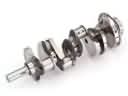 2001 Chrysler Voyager Crankshaft
 2001 Chrysler Voyager Crankshaft Thrust Washer Set
 2001 Chrysler Voyager Cylinder Head Gasket
 2001 Chrysler Voyager Dipstick Tube
 2001 Chrysler Voyager Exhaust Valve
 2001 Chrysler Voyager Harmonic Balancer
 2001 Chrysler Voyager Lash Adjuster
 2001 Chrysler Voyager Oil Filter
 2001 Chrysler Voyager Timing Belt Idler Pulley
 2001 Chrysler Voyager Timing Chain
 2001 Chrysler Voyager Timing Chain Tensioner
 2001 Chrysler Voyager Transmission Mount