JeepParts
My Garage
My Account
Cart
OEM 2002 Chrysler 300M Intake Manifold
Engine Intake Manifold- Select Vehicle by Model
- Select Vehicle by VIN
Select Vehicle by Model
orMake
Model
Year
Select Vehicle by VIN
For the most accurate results, select vehicle by your VIN (Vehicle Identification Number).
2 Intake Manifolds found

2002 Chrysler 300M Intake Manifold Part Number: 5080818AA
$203.06 MSRP: $333.00You Save: $129.94 (40%)Ships in 1-2 Business DaysProduct Specifications- Other Name: Plenum - Intake Manifold; Plenum Intake Manifold
- Item Weight: 17.20 Pounds
- Condition: New
- Fitment Type: Direct Replacement
- SKU: 5080818AA
- Warranty: This genuine part is guaranteed by Mopar's factory warranty.
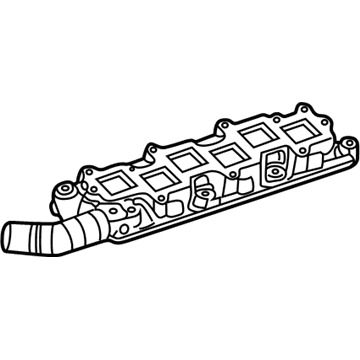
2002 Chrysler 300M Intake Manifold Part Number: 5017188AA
Product Specifications- Other Name: Manifold - Intake; Engine Intake Manifold; Manifold Intake
- Replaces: 4792184AC, 4792184
- Item Weight: 8.90 Pounds
- Item Dimensions: 29.6 x 7.1 x 7.4 inches
- Condition: New
- Fitment Type: Direct Replacement
- SKU: 5017188AA
- Warranty: This genuine part is guaranteed by Mopar's factory warranty.
2002 Chrysler 300M Intake Manifold Parts and Q&A
- Q: How to Service and Repair an Intake Manifold on 2002 Chrysler 300M?A: Disconnect the remote jumper cable from the negative battery terminal, take out the Inlet Air Temperature Sensor connector, remove the air cleaner housing and then remove the inlet hose. After that, take off the throttle and speed control cables from the throttle arm and bracket and unplug electrical connectors from the Short Runner Valve (SRV), Manifold Tuning Valve (MTV), Throttle Position Sensor (TPS), Idle Air Control (IAC) and Manifold Absolute Pressure (MAP) sensor if they are in place. Get rid of the vacuum tubes from the Speed Control Reservoir, Positive Crankcase Ventilation (PCV) Valve, Proportional Purge Solenoid and Power Brake Booster. Eliminate the supports on the intake manifold for each side, plus the corner brackets in the front and MTV area. Relax the fastener at the top connecting the throttle body to the bracket, then release and take out the bolts that connect the intake manifold. If the manifold has any damage, holes, gasket surface issues or is warped, then change this out and as needed, check and clear the EGR ports. Before installing, check the gasket seal areas, confirm that the intake gaskets have no rips or cracks and fit new gaskets where needed. Set the intake manifold and begin hand tightening each bolt, but only tighten confidently according to the sequence chart, finishing when the torque is 12 Nm (105 in. lbs.). Put on the right and left side intake manifold supports, install the manifold support brackets at the front corners and the MTV and fasten the throttle body to the support bracket. Connect the Speed Control Reservoir, PCV Valve, Proportional Purge Solenoid and Power Brake Booster to their hoses and reattach the electrical connectors to the SRV, MTV, TPS, IAC and MAP sensor. After that, put back the throttle and speed control cables to the bracket and throttle arm, insert the air cleaner housing and inlet hose, attach the IAT Sensor connector and reattach the negative cable to the remote jumper terminal.
Related 2002 Chrysler 300M Parts
 2002 Chrysler 300M Fuel Pump
 2002 Chrysler 300M Fuel Rail
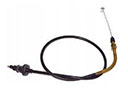 2002 Chrysler 300M Accelerator Cable
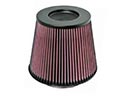 2002 Chrysler 300M Air Filter
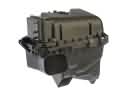 2002 Chrysler 300M Air Filter Box
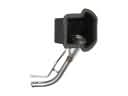 2002 Chrysler 300M Fuel Filler Neck
 2002 Chrysler 300M Fuel Injector
 2002 Chrysler 300M Fuel Injector Seal
 2002 Chrysler 300M Fuel Sending Unit
 2002 Chrysler 300M Fuel Tank
 2002 Chrysler 300M Gas Cap
 2002 Chrysler 300M Intake Manifold Gasket