JeepParts
My Garage
My Account
Cart
OEM 2004 Chrysler Pacifica Rack And Pinion
Steering Rack And Pinion- Select Vehicle by Model
- Select Vehicle by VIN
Select Vehicle by Model
orMake
Model
Year
Select Vehicle by VIN
For the most accurate results, select vehicle by your VIN (Vehicle Identification Number).
1 Rack And Pinion found
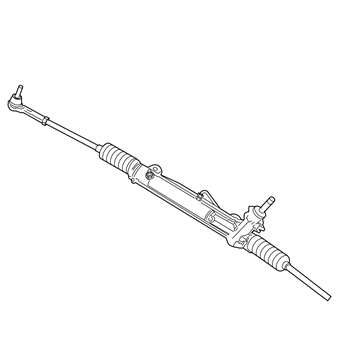
2004 Chrysler Pacifica Steering Gear Part Number: 4743177AL
Product Specifications- Other Name: Gear - Rack And Pinion; Rack and Pinion Assembly; Steering Gearbox; Gear Assembly
- Replaces: 4743177AJ, 4743177AG, 4743177AK, 4743177AF, 4743177AH, 4743177AI
- Item Weight: 25.50 Pounds
- Condition: New
- Fitment Type: Direct Replacement
- SKU: 4743177AL
- Warranty: This genuine part is guaranteed by Mopar's factory warranty.
2004 Chrysler Pacifica Rack And Pinion Parts and Q&A
- Q: How to Remove and Install a Rack and Pinion Steering Gear on 2004 Chrysler Pacifica?A: Before removing the rack and pinion, straddle the front axle with the wheels straight ahead and secure the steering wheel with a holder. Unhook the negative battery terminal and put it somewhere separate, then release the cap on the power steering fluid reservoir and remove as much fluid as you can. Support and lift the vehicle, then come out with both front tire and wheel units. When installing a new rack and pinion and transferring the outer tie rods, first loosen the job nuts and remove the nuts fastening the outer tie rods to the steering knuckle, with one hand holding the rod end stud still. With Remover, Special Tool C-3894-A, remove every outer tie rod end from the steering knuckle. Take the roll pin out of the intermediate shaft extension using Remover, Special Tool 6831A and pull the shaft off the rack and pinion shaft. Take off the return and pressure pipe nuts from the rack and pinion to remove the hoses. Unbolt the two rack and pinion to the body mounting bolts and pull it forward on top. Place your hands on both sides and slide the rack and pinion out through the left wheel opening until it comes out. When required, remove the outer tie rod from the inner thread and carefully count the rotation before putting it back into place. For installation, if needed, put the outer tie rods back on the inner tie rod and ensure the same amount of turns as you counted off during treatment. Lift the power steering rack and pinion into the left wheel opening, so as not to damage the boots, then in place the mounting bolts, noting the longer bolt goes on the driver's side. Secure the bolts so that the torque level reaches 163 Nm or 120 ft. lbs. Clean the connectors for the power steering hoses and put in new O-rings, smearing clean power steering fluid over them before you place the hoses and tighten their tube nuts at 31 Nm (275 inch lbs. torque). Line up the two splines in the middle of the travel on the rack and pinion and on the intermediate shaft extension and carefully slide the extension onto the shaft. Guide the special roll pin into place through the extension and shaft. Ensure it is positioned correctly on the intermediate shaft extension and then use the Installer, Special Tool 6831A to secure the roll pin in place. After setting the drive shaft cover over the rack and pinion, attach the outer tie rods to the steering knuckles and put a new nut onto each of the studs. Tighten each nut to 47 Nm in torque, then finish by turning them an extra 180° by hand. Jam the tie rod nuts loosely now and tighten them to a torque of 75 Nm (55 ft. lbs.) when you do the wheel alignment. Mount the wheel and tire assemblies, tighten their nuts to 135 Nm (100 ft. lbs.), lower the vehicle, reconnect the battery negative cable and remove the steering wheel holder. After that, top up the power steering system, look for problems and align the wheels, following the specified toe angle.
Related 2004 Chrysler Pacifica Parts
 2004 Chrysler Pacifica Steering Wheel
 2004 Chrysler Pacifica Power Steering Pump
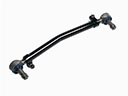 2004 Chrysler Pacifica Drag Link
 2004 Chrysler Pacifica Power Steering Cooler
 2004 Chrysler Pacifica Power Steering Hose
 2004 Chrysler Pacifica Power Steering Reservoir
 2004 Chrysler Pacifica Steering Column
 2004 Chrysler Pacifica Steering Column Cover
 2004 Chrysler Pacifica Steering Gear Box
 2004 Chrysler Pacifica Steering Shaft
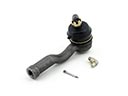 2004 Chrysler Pacifica Tie Rod End