JeepParts
My Garage
My Account
Cart
OEM 2008 Dodge Challenger TPMS Sensor
Tire Pressure Monitoring System Sensor- Select Vehicle by Model
- Select Vehicle by VIN
Select Vehicle by Model
orMake
Model
Year
Select Vehicle by VIN
For the most accurate results, select vehicle by your VIN (Vehicle Identification Number).
1 TPMS Sensor found
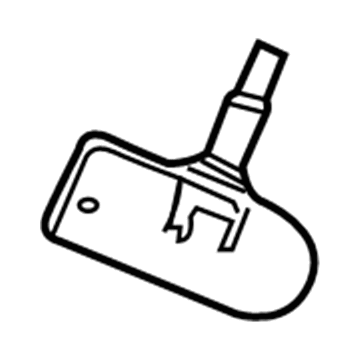
2008 Dodge Challenger TPMS Sensor Part Number: 68406529AB
$108.16 MSRP: $162.00You Save: $53.84 (34%)Ships in 1-2 Business DaysProduct Specifications- Other Name: Sensor - Tire Pressure; Tire Pressure Sensor
- Replaces: 68406529AA
- Condition: New
- Fitment Type: Direct Replacement
- SKU: 68406529AB
- Warranty: This genuine part is guaranteed by Mopar's factory warranty.
2008 Dodge Challenger TPMS Sensor Parts and Q&A
- Q: How to Install a TPMS Sensor on 2008 Dodge Challenger?A: Before putting the Tire Pressure Monitoring (TPM) Sensor in place, change seal 2 and metal washer 1 at the sensor valve stem 6 to ensure you seal it. Make sure to clean the area near the sensor or valve stem on wheel 5 and that the wheel has no dents nearby. Feed sensor 1 all the way through wheel 2 with steady pressure in the back of the valve stem and make sure the potted part of the sensor faces the wheel. Use your hands to install sensor nut 3 together with the washer, pushing sensor housing 2 down so it matches the shape of wheel 1 and only then tighten the sensor nut to 8 Nm (71 in. lbs.). Ensure the sensor nut is not tightened over 12 Nm (106 in. lbs.), as this minor excess can separate the sensor from the valve stem and should be corrected right away. For rotating wheel tire changers, the sensor valve stem should be set about 280° clockwise from the changer head and rotating tool tire changers have the sensor about 210° clockwise from the end where you insert the mounting/dismounting tool, being mindful that the sensor is away from the lower bead breaker device. Make sure the air pressure matches the label on the driver's side B-pillar and then fit the original style valve stem cap snugly to stop moisture from entering the sensor. Secure the tire and wheel to the vehicle, take out the support and lower your vehicle. You can either use the TPM-RKE Analyzer 9936 with the Scan Tool to teach the TPM Module the sensor ID or drive the vehicle at speeds above 15 mph (24 km/h) for at least 20 minutes after the vehicle was stationary for 20 minutes. If a sensor cannot be taught, turn to the diagnostic instructions provided.
Related 2008 Dodge Challenger Parts
 2008 Dodge Challenger Body Control Module
 2008 Dodge Challenger Camshaft Position Sensor
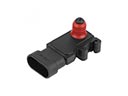 2008 Dodge Challenger MAP Sensor
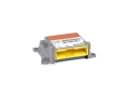 2008 Dodge Challenger Air Bag Control Module
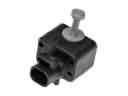 2008 Dodge Challenger Air Bag Sensor
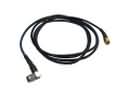 2008 Dodge Challenger Antenna Cable
 2008 Dodge Challenger Dimmer Switch
 2008 Dodge Challenger Engine Control Module
 2008 Dodge Challenger Fuse
 2008 Dodge Challenger Intake Manifold Temperature Sensor
 2008 Dodge Challenger Seat Heater Switch
 2008 Dodge Challenger Transmitter