JeepParts
My Garage
My Account
Cart
OEM 2009 Jeep Commander Rack And Pinion
Steering Rack And Pinion- Select Vehicle by Model
- Select Vehicle by VIN
Select Vehicle by Model
orMake
Model
Year
Select Vehicle by VIN
For the most accurate results, select vehicle by your VIN (Vehicle Identification Number).
1 Rack And Pinion found
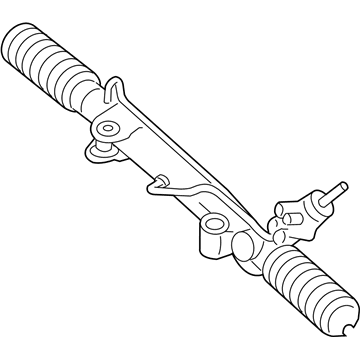
2009 Jeep Commander Steering Gear Part Number: 68042636AB
Product Specifications- Other Name: Gear - Rack And Pinion; Rack and Pinion Assembly; Steering Gearbox; Gear Assembly
- Replaces: 68042636AA, 68140918AA, 52124700AA, RL042636AA
- Item Weight: 29.40 Pounds
- Item Dimensions: 63.6 x 10.5 x 6.4 inches
- Condition: New
- Fitment Type: Direct Replacement
- SKU: 68042636AB
- Warranty: This genuine part is guaranteed by Mopar's factory warranty.
2009 Jeep Commander Rack And Pinion Parts and Q&A
- Q: How to Correctly Install a Rack and Pinion Steering System on 2009 Jeep Commander?A: Center the steering column module first so that it does not get damaged during installation of the rack and pinion. Begin by placing the outer tie rod ends back in the vehicle and then position the rack and pinion just as you found it. After putting the rack and pinion in place, tighten the mounting nuts by hand to 180 ft. lbs. and then re-center it. After that, for vehicles with a 32-valve V8 engine, join the two lines to the steering system and tighten them to 28 Nm / 21 ft. lbs. For 4x4 versions, install the front axle first. After that, put the front skid plate and front splash shield back on. Set the drip tray in place after the filter and link the tie rod ends to the knuckles before tightening them by 95 Nm (70 ft. lbs.). After that, place the wheel and tire onto the car, take out the support and bring the car down to the ground. For 6-cylinder engines, link the pressure and return hoses to the rack and pinion and tighten with a torque wrench to 28 Nm (21 ft. lbs.). Always center the rack and pinion before you attach the coupler to keep the Clock Spring from being damaged. Stick the column coupler shaft into the lower coupling, fasten it with a tightened bolt of 49 Nm (36 ft. lbs.) and eliminate the steering wheel lock. Squeeze in the power steering fluid and then adjust the toe for a proper parallel.
Related 2009 Jeep Commander Parts
 2009 Jeep Commander Power Steering Pump
 2009 Jeep Commander Steering Wheel
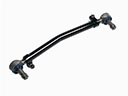 2009 Jeep Commander Drag Link
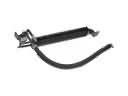 2009 Jeep Commander Power Steering Cooler
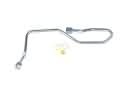 2009 Jeep Commander Power Steering Hose
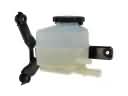 2009 Jeep Commander Power Steering Reservoir
 2009 Jeep Commander Steering Column
 2009 Jeep Commander Steering Column Cover
 2009 Jeep Commander Steering Gear Box
 2009 Jeep Commander Steering Shaft