JeepParts
My Garage
My Account
Cart
OEM Jeep Wrangler Clutch Disc
Friction Disc- Select Vehicle by Model
- Select Vehicle by VIN
Select Vehicle by Model
orMake
Model
Year
Select Vehicle by VIN
For the most accurate results, select vehicle by your VIN (Vehicle Identification Number).
8 Clutch Discs found
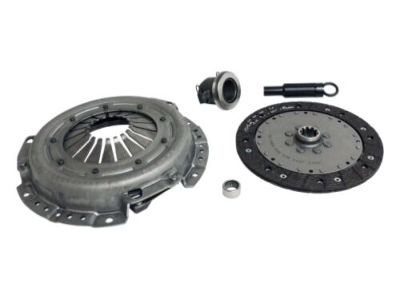
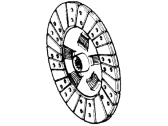
Jeep Wrangler Pressure Plate Part Number: 52104289AG
$414.23 MSRP: $525.11You Save: $110.88 (22%)Ships in 1-2 Business Days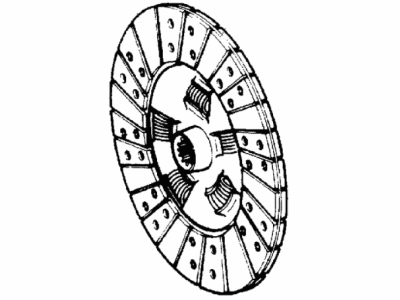
Jeep Wrangler Disc Part Number: 52104733AC
$237.55 MSRP: $533.00You Save: $295.45 (56%)Ships in 1-2 Business Days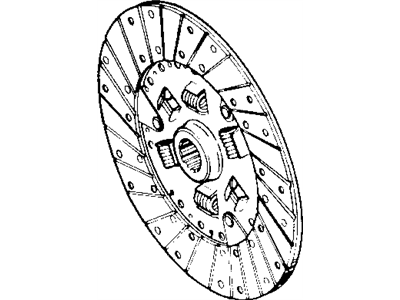
Jeep Wrangler Pressure Plate Part Number: 53008259

Jeep Wrangler Disc Part Number: 52104642AA
Jeep Wrangler Disc Part Number: 4863947
Jeep Wrangler Disc Part Number: 52104581AE
Jeep Wrangler Disc Part Number: 52104581AC
Jeep Wrangler Disc Part Number: 52104363AB
Jeep Wrangler Clutch Disc
Choose OEM Clutch Disc that meet Jeep factory standards. Jeep designs and tests every component for precision and durability. Each Clutch Disc follows strict manufacturing steps to lock in quality and fit. If your Jeep Wrangler matters to you, OEM parts make the smart choice. You'll get the exact look, feel, and performance you expect. Shop genuine Wrangler parts at the highly competitive prices online. Enjoy a manufacturer's warranty, a hassle-free return policy, and rapid delivery. No more guesswork with off brands. Get genuine parts with exact fit and true factory performance. Shop with confidence today at JeepPartsDeal.com.
Jeep Wrangler Clutch Disc Parts and Q&A
- Q:How to install the Clutch Disc on gas engines on Jeep Wrangler?A:To install the clutch disc on gas engines first scuff sand the flywheel face with 180 grit emery cloth and clean using wax and grease remover. Use Mopar high-temperature bearing grease or similar product to lubricate the pilot bearing. Make sure the new clutch disc slides freely on the splines of the transmission input shaft. Furthermore, check the face runout with a dial indicator at the disc hub 6mm (1/4 in.) from the outer edge of the facing. The runout not to exceed 0.5mm (0.020 in.). Otherwise, obtain another clutch disc. Place the clutch disc on the flywheel with the side that has flywheel marked on it adjacent to the flywheel or if unmarked, ensure that the flat side of the disc hub is adjacent to the flywheel. Pass the clutch alignment tool through the clutch disc and into pilot bearing. Then position the clutch pressure plate over the disc and on the flywheel. Use only factory bolts of the correct size and install them finger tight so the threads do not engage insufficiently and the Dual Mass Flywheel does not interfere. Gradually tighten the pressure plate bolts in an even spiral pattern to a specified torque of 33 Nm (24 ft. lbs.) to avoid distorting the pressure plate. Lastly, install the transmission after applying a light coat of Mopar High Temperature Bearing Grease or equivalent to the clutch disc hub and splines of the transmission input shaft. Be careful not to over-lubricate the shaft splines to prevent grease contamination of the disc.
- Q:How to service and repair the Clutch Disc on Jeep Wrangler?A:To service and repair the clutch disc, first remove the transmission. If the original clutch cover is to be reinstalled, mark its position on the flywheel using paint or a scriber for assembly reference. If replacing the clutch cover, the cover bolts can be removed in any sequence, but if reusing the original cover, loosen the cover bolts evenly and in rotation to relieve spring tension and avoid warping. After removing the cover bolts, take off the cover and disc. For installation, lightly scuff sand the flywheel face with 180 grit emery cloth and clean the surface with a wax and grease remover. Lubricate the pilot bearing with Mopar high temperature bearing grease. Position the clutch disc on the flywheel with the side marked flywheel against it; if unmarked, the flat side of the disc hub should face the flywheel. Insert an alignment tool through the disc and into the pilot bearing on the flywheel, then position the pressure plate over the disc and on the flywheel. Install the clutch cover bolts finger tight, then tighten them evenly and in rotation a few threads at a time, ensuring to torque them to 31 Nm (23 ft. lbs.) for 2.5L engines and 50 Nm (37 ft. lbs.) for 4.0L engines to prevent distortion of the cover. Apply a light coat of Mopar high temperature bearing grease or equivalent to the clutch disc hub and splines of the transmission input shaft, avoiding over-lubrication to prevent grease contamination of the disc. Finally, install the transmission.
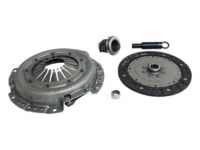
Related Jeep Wrangler Parts
 Jeep Wrangler Transfer Case
 Jeep Wrangler Clutch Slave Cylinder
 Jeep Wrangler Flywheel
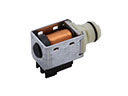 Jeep Wrangler Shift Solenoid
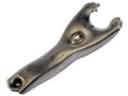 Jeep Wrangler Clutch Fork
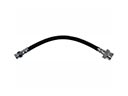 Jeep Wrangler Clutch Hose
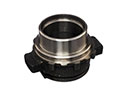 Jeep Wrangler Clutch Release Bearing
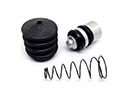 Jeep Wrangler Clutch Slave Repair Kit
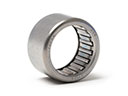 Jeep Wrangler Needle Bearing
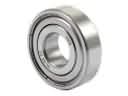 Jeep Wrangler Pilot Bearing
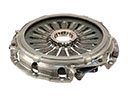 Jeep Wrangler Pressure Plate
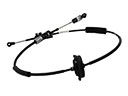 Jeep Wrangler Shift Cable