JeepParts
My Garage
My Account
Cart
OEM 2002 Dodge Durango A/C Clutch
Air Conditioning Clutch- Select Vehicle by Model
- Select Vehicle by VIN
Select Vehicle by Model
orMake
Model
Year
Select Vehicle by VIN
For the most accurate results, select vehicle by your VIN (Vehicle Identification Number).
2 A/C Clutches found
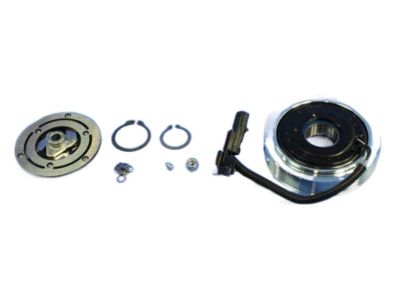
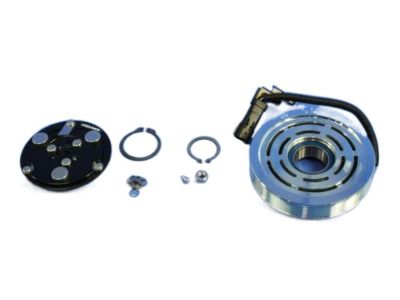
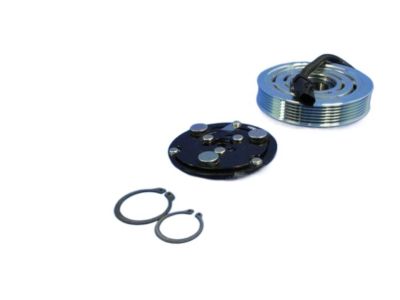
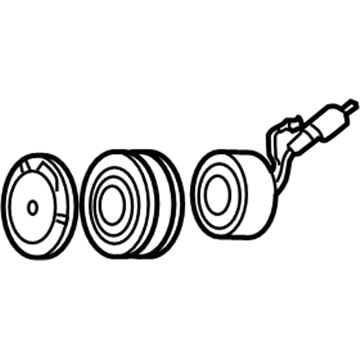
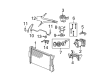
2002 Dodge Durango Clutch & Pulley Part Number: 5083077AA
Product Specifications- Other Name: Clutch - A/C Compressor; A/C Compressor Clutch; Clutch Coil; Clutch; Clutch A/C Compressor
- Item Weight: 6.10 Pounds
- Item Dimensions: 6.8 x 6.8 x 2.5 inches
- Condition: New
- Fitment Type: Direct Replacement
- SKU: 5083077AA
- Warranty: This genuine part is guaranteed by Mopar's factory warranty.
2002 Dodge Durango Clutch & Pulley Part Number: 5072658AA
Product Specifications- Other Name: Clutch - A/C Compressor; A/C Compressor Clutch; Clutch Coil; Clutch; Clutch A/C Compressor
- Item Weight: 6.10 Pounds
- Item Dimensions: 6.6 x 6.7 x 2.6 inches
- Condition: New
- Fitment Type: Direct Replacement
- SKU: 5072658AA
- Warranty: This genuine part is guaranteed by Mopar's factory warranty.
2002 Dodge Durango A/C Clutch Parts and Q&A
- Q: How to Replace the A/C Clutch on 2002 Dodge Durango?A: Begin by shutting off the car, taking out the battery's negative cable and removing the drive belt. Remove the connector between the compressor clutch coil wire harness and the engine. Place Special Tool 6462 on Kit 6460 into the holes of the clutch plate and hold it as you loosen and remove the hex nut. Afterward, take out the clutch plate and clutch shims and take out the external front housing snap ring using snap ring pliers. Line the lip of the rotor puller (Special Tool C-6141-1 from Kit 6460) with the snap ring groove and add the shaft protector (Special Tool C-6141-2 from Kit 6460). After installing the puller through-bolts with C-6461, tighten up and twist the puller center bolt clockwise until the pulley gets free. Depress the small screw and lift off the retainer placed on the clutch wire harness for the compressor front housing. Remove the snap ring from the compressor hub and disconnect the clutch field coil. Search the metallic parts of the clutch on the clutch rotor and clutch plate for damage or uneven wear. If they look worn, take out and replace them. If you detect oil on the compressor shaft or nose and the felt covering the front of the compressor is soaked with oil, the seal is damaged and you should replace the whole package. During inspections, check for any signs of excessive grease on the clutch rotor bearing and, if you notice it or if the rotor is rough, remove and replace the rotor and clutch plate. Start with the clutch field coil and snap ring. Then attach the clutch coil lead wire harness retaining clip to the compressor front housing, making sure the wire harness isn't pinched. Place the rotor assembly on the compressor hub so that it is square to the housing, then put the handle (Special Tool 6464 from Kit 6460) into the driver (Special Tool 6143 from Kit 6460) and insert both into the bearing cavity on the rotor, making sure the driver rests solidly on the rotor bearing inner race. Touch the end of the driver after guiding the rotor and listen for the rotor to make a change in sound as it bottoms against the top of the compressor housing. With the bevel side visible from the exterior, insert the external front rotor snap ring in the groove so the clutch does not fail. Be sure the lead wire isn't touching the clutch rotor and fix the first set of clutch shims onto the compressor shaft. Place the clutch plate onto the engagement shaft and then fix it with the shaft protector (Special Tool 6141-2 from Kit 6460). Tap until you feel it stop against the clutch shims, again listening to the sound. Screw on the hex nut at the compressor shaft and torque it to between 15 Nm and 20 Nm (11 to 15 ft. lbs.). At the end, measure the clutch air gap using a feeler gauge and adjust shims if needed so that the air gap ranges from 0.41 to 0.79 millimeters (0.016 to 0.031 inches) all the way around the clutch. Once you get your new clutch, put in the shims from the clutch hardware package.
Related 2002 Dodge Durango Parts
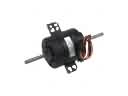 2002 Dodge Durango Blower Motor
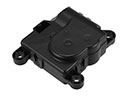 2002 Dodge Durango Blend Door Actuator
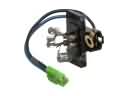 2002 Dodge Durango Blower Motor Resistor
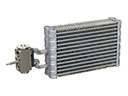 2002 Dodge Durango Evaporator
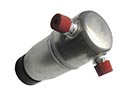 2002 Dodge Durango A/C Accumulator
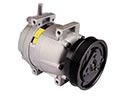 2002 Dodge Durango A/C Compressor
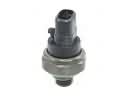 2002 Dodge Durango A/C Compressor Cut-Out Switches
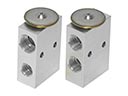 2002 Dodge Durango A/C Expansion Valve
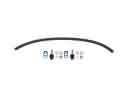 2002 Dodge Durango A/C Hose
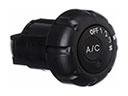 2002 Dodge Durango A/C Switch
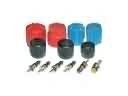 2002 Dodge Durango A/C System Valve Core
 2002 Dodge Durango Blower Control Switches