JeepParts
My Garage
My Account
Cart
OEM 2008 Chrysler Sebring Brake Light Switch
Brake Lamp Switch- Select Vehicle by Model
- Select Vehicle by VIN
Select Vehicle by Model
orMake
Model
Year
Select Vehicle by VIN
For the most accurate results, select vehicle by your VIN (Vehicle Identification Number).
1 Brake Light Switch found
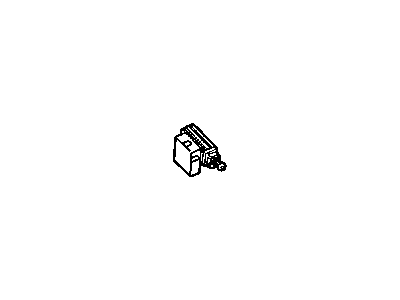
 Product Specifications
- Other Name: SW PKG-STOP LAMP
- SKU: 5083344AB
- Warranty: This genuine part is guaranteed by Mopar's factory warranty.
2008 Chrysler Sebring Brake Light Switch Parts and Q&A
- Q: How to Replace a Brake Light Switch on 2008 Chrysler Sebring?A: A new brake light switch should have its adjustment lever at 45° from the wiring connector; if it is in line, the switch is pre-setup and needs to be replaced. Install the switch in the brake pedal bracket by putting the index tab into the notch on the bracket. Once you have pushed the switch body all the way down, circle the switch body a further 30° to set it in place. Holding down the brake pedal, turn the screw on the adjustment lever clockwise to align it with the connector which shows it is correctly set. After that, link the wiring harness connector with the switch. If there is a silencer pad, install it under the steering column and reconnect your battery's negative terminal. Also, test the stop lamps to ensure they turn off when you release the brake pedal and go for a road test to check that the brakes, including the ABS and speed control are working properly.
Related 2008 Chrysler Sebring Parts
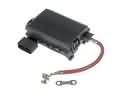 2008 Chrysler Sebring Fuse Box
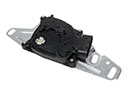 2008 Chrysler Sebring Automatic Transmission Shift Position Sensor Switch
 2008 Chrysler Sebring Dimmer Switch
 2008 Chrysler Sebring Fuse
 2008 Chrysler Sebring Ignition Lock Assembly
 2008 Chrysler Sebring Ignition Lock Cylinder
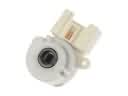 2008 Chrysler Sebring Ignition Switch
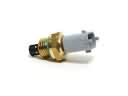 2008 Chrysler Sebring Intake Manifold Temperature Sensor
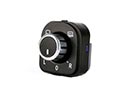 2008 Chrysler Sebring Mirror Switch
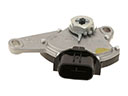 2008 Chrysler Sebring Neutral Safety Switch
 2008 Chrysler Sebring Relay
 2008 Chrysler Sebring Wiper Switch