JeepParts
My Garage
My Account
Cart
OEM 2004 Dodge Dakota Antenna Cable
Radio Antenna Cable- Select Vehicle by Model
- Select Vehicle by VIN
Select Vehicle by Model
orMake
Model
Year
Select Vehicle by VIN
For the most accurate results, select vehicle by your VIN (Vehicle Identification Number).
2 Antenna Cables found
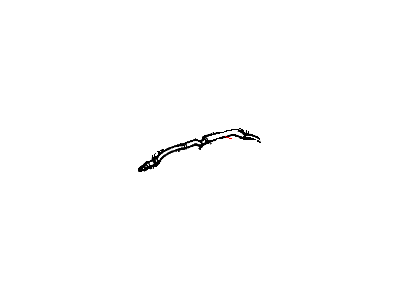
2004 Dodge Dakota Antenna Cable Part Number: 56043271AE
Product Specifications- Other Name: Cable - Antenna; Cable
- Replaces: 56043271AB
- Item Weight: 0.60 Pounds
- Item Dimensions: 19.3 x 1.9 x 1.0 inches
- Condition: New
- Fitment Type: Direct Replacement
- SKU: 56043271AE
- Warranty: This genuine part is guaranteed by Mopar's factory warranty.
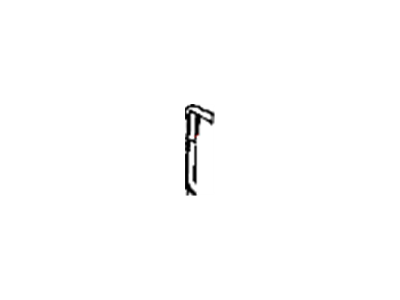
2004 Dodge Dakota Antenna Cable Part Number: 56043245AA
Product Specifications- Other Name: Cable - Antenna; Cable; Cable Antenna
- Condition: New
- Fitment Type: Direct Replacement
- SKU: 56043245AA
- Warranty: This genuine part is guaranteed by Mopar's factory warranty.
2004 Dodge Dakota Antenna Cable Parts and Q&A
- Q: How to Replace an Antenna Cable on the Instrument Panel on 2004 Dodge Dakota?A: Begin by disconnecting the battery negative cable from the PC board to keep the air bag system from working and let the capacitor sit still for two minutes before any work. Disconnect the coaxial cable beside where the radio is installed, being sure to pull the metal halves apart while keeping the cable relaxed. Do this by attaching a piece of cord or twine to the middle of the connector between the instrument panel end of the cable and the antenna end, so you can use it later. Remove the antenna cable from the clips holding the radio in place by the glove box and the instrument panel, making sure not to pull the antenna from the radio directly out of its socket. Pull the blue antenna plug away from your radio and pull the antenna cable from the radio. Loosen the twine or cord from the connector instead of the cable and remove the antenna cable from the panel on the instrument. Pull the new antenna cable through the bottom of the receiver after attaching the cord to the connector at the end. Join the radio receiver with the instrument panel, fit the end of the cable into the retainer clips, untie the twine or cord from the antenna port and attach the antenna cable connector back under the instrument panel. The final step is to attach the black battery cable back.
Related 2004 Dodge Dakota Parts
 2004 Dodge Dakota Antenna
 2004 Dodge Dakota Headlight Switch
 2004 Dodge Dakota Neutral Safety Switch
 2004 Dodge Dakota Power Window Switch
 2004 Dodge Dakota Turn Signal Flasher
 2004 Dodge Dakota Air Bag
 2004 Dodge Dakota Antenna Mast
 2004 Dodge Dakota Back Up Light Switch
 2004 Dodge Dakota Car Key
 2004 Dodge Dakota Ignition Control Module
 2004 Dodge Dakota Ignition Lock Assembly
 2004 Dodge Dakota Relay