JeepParts
My Garage
My Account
Cart
OEM 2006 Chrysler Pacifica Steering Wheel
Navigation Steering Wheel- Select Vehicle by Model
- Select Vehicle by VIN
Select Vehicle by Model
orMake
Model
Year
Select Vehicle by VIN
For the most accurate results, select vehicle by your VIN (Vehicle Identification Number).
2 Steering Wheels found
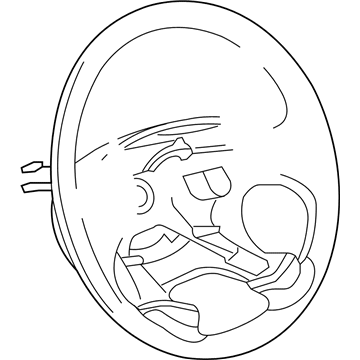
2006 Chrysler Pacifica Steering Wheel Part Number: 1AG241DVAA
$289.27 MSRP: $415.00You Save: $125.73 (31%)Ships in 1-2 Business DaysProduct Specifications- Other Name: Wheel - Steering; Wheel Steering
- Replaces: TV751DVAC, TV751DVAD
- Item Weight: 4.90 Pounds
- Condition: New
- Fitment Type: Direct Replacement
- SKU: 1AG241DVAA
- Warranty: This genuine part is guaranteed by Mopar's factory warranty.
2006 Chrysler Pacifica Steering Wheel Part Number: 1BH411DVAB
Product Specifications- Other Name: Wheel - Steering; Wheel Steering
- Item Weight: 5.50 Pounds
- Condition: New
- Fitment Type: Direct Replacement
- SKU: 1BH411DVAB
- Warranty: This genuine part is guaranteed by Mopar's factory warranty.
2006 Chrysler Pacifica Steering Wheel Parts and Q&A
- Q: How to Remove and Install a Steering Wheel on 2006 Chrysler Pacifica?A: Before you take out the steering wheel, adjust the front wheels straight and separate the negative (-) battery cable, making sure it doesn't touch anything. Before handling an air bag module you have not deployed, unplug the battery negative cable and wait two minutes for the system capacitor to discharge. After that, take out the screws that hold the driver air bag to the mount, lift the air bag out and unplug both of the air bag squib connections and the horn connector. Take off the connector from the speed control wiring at the Clock Spring, then loosen and remove the steering wheel retaining nut and damper. Remove the steering wheel with a wheel puller, then lift the speed as well as the remote audio switches from the steering wheel. The first step in installation is to place the remote audio control switches and speed control switches onto your steering wheel. Make sure the splines on the steering wheel hub fit with those on the steering shaft and then slide the wheel onto the column shaft. Place and secure the damper followed by the steering wheel, tightening the securing bolt to up to 45 ft. lbs. Attach the speed control connector on the Clock Spring next and then hook up the two air bag squib connectors and horn connector to the driver air bag. Setting it behind the steering wheel, attach the driver air bag using the provided screws and tighten these to 10 Nm (90 inch lbs.) of force. After that, reattach the negative cable to the battery post and test the horn, throttle and all audio features from the remote.
Related 2006 Chrysler Pacifica Parts
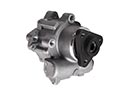 2006 Chrysler Pacifica Power Steering Pump
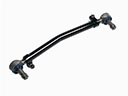 2006 Chrysler Pacifica Drag Link
 2006 Chrysler Pacifica Power Steering Hose
 2006 Chrysler Pacifica Power Steering Reservoir
 2006 Chrysler Pacifica Rack And Pinion
 2006 Chrysler Pacifica Steering Column
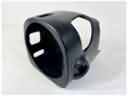 2006 Chrysler Pacifica Steering Column Cover
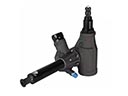 2006 Chrysler Pacifica Steering Gear Box
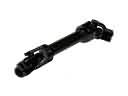 2006 Chrysler Pacifica Steering Shaft
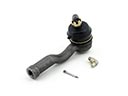 2006 Chrysler Pacifica Tie Rod End