JeepParts
My Garage
My Account
Cart
OEM 2003 Dodge Dakota Brake Pad
Disc Brake Pad Set- Select Vehicle by Model
- Select Vehicle by VIN
Select Vehicle by Model
orMake
Model
Year
Select Vehicle by VIN
For the most accurate results, select vehicle by your VIN (Vehicle Identification Number).
2 Brake Pads found
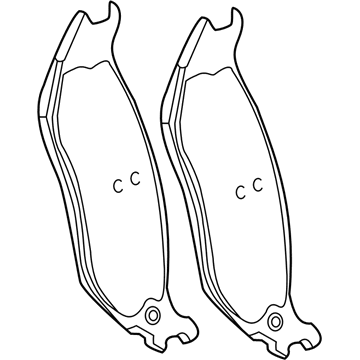
2003 Dodge Dakota Brake Pads, Rear Part Number: 5093253AD
Product Specifications- Other Name: Pad Kit - Rear Disc Brake; Disc Brake Hardware Kit; Rear Pads
- Position: Rear
- Item Weight: 4.20 Pounds
- Condition: New
- Fitment Type: Direct Replacement
- SKU: 5093253AD
- Warranty: This genuine part is guaranteed by Mopar's factory warranty.
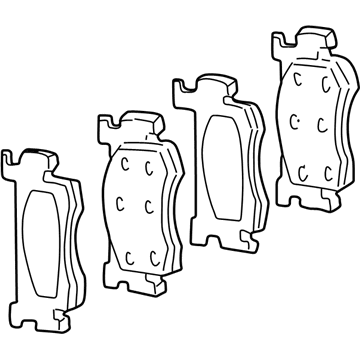
2003 Dodge Dakota Brake Pads, Front Part Number: 5093331AB
Product Specifications- Other Name: Shoe Kit - Disc Brake; Disc Brake Pad Set, Front; Disc Brake Hardware Kit; Disc Brake Pad Kit; Front Pads
- Position: Front
- Item Weight: 6.30 Pounds
- Item Dimensions: 9.6 x 4.4 x 3.3 inches
- Condition: New
- Fitment Type: Direct Replacement
- SKU: 5093331AB
- Warranty: This genuine part is guaranteed by Mopar's factory warranty.
2003 Dodge Dakota Brake Pad Parts and Q&A
- Q: How to Maintain and Repair Brake Pads on 2003 Dodge Dakota?A: Before working on the front brake pads, clean the master cylinder reservoir and all its filler caps, remove the reservoir filler cap and use a clean suction gun to drain about 1/4 of the fluid. Raising the vehicle up, take out the wheel and tire assembly from the front side. With the caliper pistons already inserted, place your C-clamp so that the frame is placed on the caliper's rear and the screw is on the brake shoe outside. Then, take out the caliper slide pins, remove the caliper and brake pads and be sure to hold the caliper so the brake hose does not support its weight. Pry the inboard and outboard brake pads away from the caliper where they meet at one end. To install, brush clean the adapter ledges and coat them with a thin movie of refrigerated grease. Should the bushings need to be changed, put them in first, next the pads and then reattach the caliper. Turn the slide pin bolts to 30 Nm (22 ft. lbs.), but always start them by hand to keep them from being cross-threaded. Put the wheel and tire back on, take out the support and let the vehicle down. Pump the brake pedal to place the brake pads, top off the brake fluid tank and test that the pedal feels firm before driving.
Related 2003 Dodge Dakota Parts
 2003 Dodge Dakota Brake Caliper
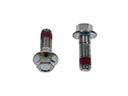 2003 Dodge Dakota Brake Caliper Bolt
 2003 Dodge Dakota Speed Sensor
 2003 Dodge Dakota Wheel Stud
 2003 Dodge Dakota ABS Control Module
 2003 Dodge Dakota Brake Caliper Piston
 2003 Dodge Dakota Brake Disc
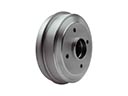 2003 Dodge Dakota Brake Drum
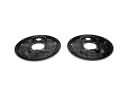 2003 Dodge Dakota Brake Dust Shield
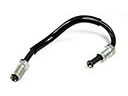 2003 Dodge Dakota Brake Line
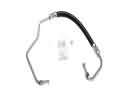 2003 Dodge Dakota Hydraulic Hose
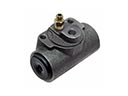 2003 Dodge Dakota Wheel Cylinder