JeepParts
My Garage
My Account
Cart
OEM 2008 Chrysler Pacifica Brake Pad
Disc Brake Pad Set- Select Vehicle by Model
- Select Vehicle by VIN
Select Vehicle by Model
orMake
Model
Year
Select Vehicle by VIN
For the most accurate results, select vehicle by your VIN (Vehicle Identification Number).
2 Brake Pads found
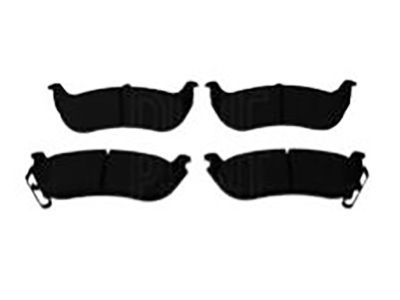
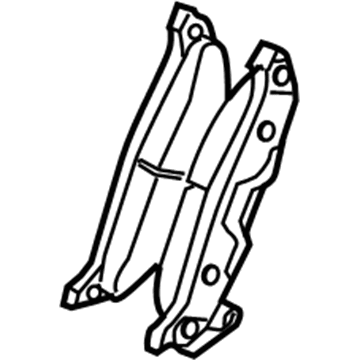
2008 Chrysler Pacifica Brake Pads, Rear Part Number: 68029298AA
$18.61 MSRP: $23.59You Save: $4.98 (22%)Ships in 1-2 Business DaysProduct Specifications- Other Name: Pad Kit - Rear Disc Brake; Disc Brake Pad Set, Rear; Disc Brake Hardware Kit; Rear Pads; Pad Kit Rear Disc Brake; Disc Brake Pad Set
- Position: Rear
- Item Weight: 3.60 Pounds
- Condition: New
- Fitment Type: Direct Replacement
- SKU: 68029298AA
- Warranty: This genuine part is guaranteed by Mopar's factory warranty.
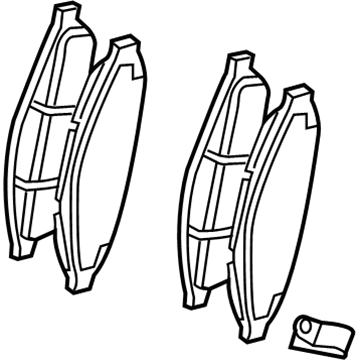
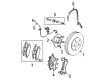
2008 Chrysler Pacifica Brake Pads, Front Part Number: 5134358AA
$111.26Ships in 1-2 Business DaysProduct Specifications- Other Name: Pad Kit - Front Disc Brake; Disc Brake Pad Set, Front; Disc Brake Hardware Kit; Front Pads; Pad Kit Front Disc Brake
- Position: Front
- Item Weight: 5.80 Pounds
- Item Dimensions: 9.6 x 4.6 x 3.5 inches
- Condition: New
- Fitment Type: Direct Replacement
- SKU: 5134358AA
- Warranty: This genuine part is guaranteed by Mopar's factory warranty.
2008 Chrysler Pacifica Brake Pad Parts and Q&A
- Q: How to Install Brake Pads on the Rear Wheels on 2008 Chrysler Pacifica?A: When replacing the pads in the rear brake, pull back the caliper piston all the way inside the caliper bore so there is space for installing the caliper. Go ahead and put the inboard pad retainer clip against the piston cavity. Press it in with your finger until it sits firmly in the groove and the inboard brake pad backing plate is flush with the caliper piston. Once you've installed the caliper, make sure the spring clip of the outboard brake pads is facing downwards. After that, place the brake pad locating pins against the ramp on the caliper fingers and slide the pad into place, making certain the pins are in the holes and the pad evenly contacts the caliper fingers. Be careful not to disturb the guide pin bushings and sleeves while you slot the shims onto the upper and lower slide sections of the adapter. After retracting the caliper guide pins, place the caliper into the adapter's mounting bosses, beginning with the upper bracket and align the outboard upper edge of the pad with the caliper slide. Place the caliper guide pin bolts carefully and do not cross-thread them; they must be tightened to 23 Nm (17 ft. lbs.). As soon as the assembly is in place, tighten all wheel mounting nuts to 135 Nm (100 ft lb), bring the vehicle back to the ground and press the brake pedal several times until it feels certain before driving. Also, make sure brake fluid is up to the proper level and after the road test, break a few times while arriving at various stops to remove any foreign matter and allow the pads to seat completely.
Related 2008 Chrysler Pacifica Parts
 2008 Chrysler Pacifica Brake Booster
 2008 Chrysler Pacifica Speed Sensor
 2008 Chrysler Pacifica ABS Control Module
 2008 Chrysler Pacifica Brake Caliper
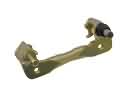 2008 Chrysler Pacifica Brake Caliper Bracket
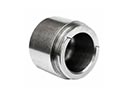 2008 Chrysler Pacifica Brake Caliper Piston
 2008 Chrysler Pacifica Brake Disc
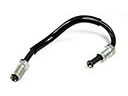 2008 Chrysler Pacifica Brake Line
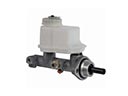 2008 Chrysler Pacifica Brake Master Cylinder
 2008 Chrysler Pacifica Parking Brake Cable
 2008 Chrysler Pacifica Parking Brake Shoe
 2008 Chrysler Pacifica Wheel Stud