JeepParts
My Garage
My Account
Cart
OEM 2008 Chrysler Pacifica Brake Disc
Disc Rotor- Select Vehicle by Model
- Select Vehicle by VIN
Select Vehicle by Model
orMake
Model
Year
Select Vehicle by VIN
For the most accurate results, select vehicle by your VIN (Vehicle Identification Number).
2 Brake Discs found
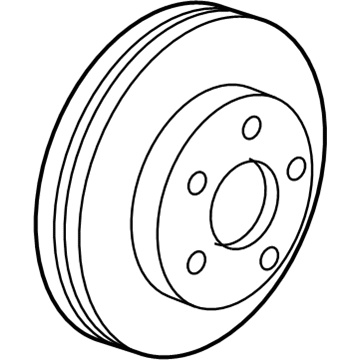
2008 Chrysler Pacifica Rotor, Rear Part Number: 4721240AG
$126.23 MSRP: $226.00You Save: $99.77 (45%)Ships in 1-2 Business DaysProduct Specifications- Other Name: Rotor - Brake; Disc Brake Rotor, Rear; Disc Brake Rotor; Brake Rotor
- Position: Rear
- Replaces: 4721240AC, 4721240AF, 4721240AE
- Item Weight: 19.70 Pounds
- Item Dimensions: 12.5 x 12.2 x 2.4 inches
- Condition: New
- Fitment Type: Direct Replacement
- SKU: 4721240AG
- Warranty: This genuine part is guaranteed by Mopar's factory warranty.
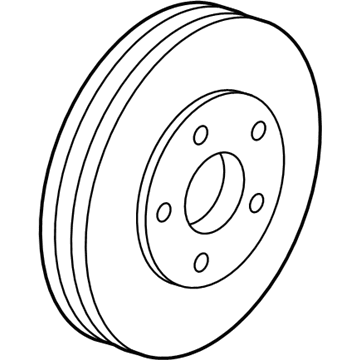
2008 Chrysler Pacifica Rotor, Front Part Number: 4721234AA
$101.77 MSRP: $157.00You Save: $55.23 (36%)Ships in 1-2 Business DaysProduct Specifications- Other Name: Rotor - Brake; Disc Brake Rotor, Front; Disc Brake Hardware Kit; Rotor Brake; Disc Brake Rotor; Brake Rotor
- Position: Front
- Replaces: 4721234AB
- Item Weight: 21.90 Pounds
- Item Dimensions: 12.8 x 12.6 x 2.0 inches
- Condition: New
- Fitment Type: Direct Replacement
- SKU: 4721234AA
- Warranty: This genuine part is guaranteed by Mopar's factory warranty.
2008 Chrysler Pacifica Brake Disc Parts and Q&A
- Q: How to Remove and Replace a Rear Brake Disc on 2008 Chrysler Pacifica?A: Before you remove and replace the rear brake rotor, look at the disc brake pads and parking brake shoes. Sweep off any dirt or corrosion from the rotor connection point of the hub. Stand the brake rotor on the studs of the hub and bearing and remember to set the abutment shims on both ends of the caliper adapter. Be extra careful when attaching the caliper assembly to the adapter to stop the guide pin bushings and sleeves from being damaged by the mounting bosses. Move the caliper guide pins toward the centerhole to open space for the mounting bosses while installing the caliper adapter. First rotate the caliper so the upper end is uppermost and make sure the caliper bearing for the outboard pad is aligned with the slide in the brake adapter. It's very important to prevent cross-threading the caliper guide pin bolts during set up. Set the caliper guide pin bolts and tighten them so they reach 23 Nm (17 ft. lbs.) of torque. After that, put the tire and wheel in place and tighten the wheel mounting nuts to a torque of 100 ft. lbs. Following your regular steps, use the handbrake, lower the vehicle, then pump the brake pedal a few times. Make sure the brake fluid is correct and then drive and stop the car several times to clear and situate the brakes.
Related 2008 Chrysler Pacifica Parts
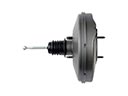 2008 Chrysler Pacifica Brake Booster
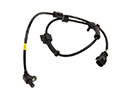 2008 Chrysler Pacifica Speed Sensor
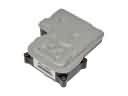 2008 Chrysler Pacifica ABS Control Module
 2008 Chrysler Pacifica Brake Caliper
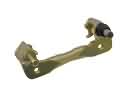 2008 Chrysler Pacifica Brake Caliper Bracket
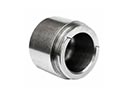 2008 Chrysler Pacifica Brake Caliper Piston
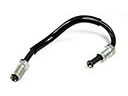 2008 Chrysler Pacifica Brake Line
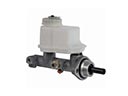 2008 Chrysler Pacifica Brake Master Cylinder
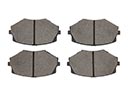 2008 Chrysler Pacifica Brake Pad
 2008 Chrysler Pacifica Parking Brake Cable
 2008 Chrysler Pacifica Parking Brake Shoe
 2008 Chrysler Pacifica Wheel Stud