JeepParts
My Garage
My Account
Cart
OEM 2007 Chrysler Pacifica Brake Pad
Disc Brake Pad Set- Select Vehicle by Model
- Select Vehicle by VIN
Select Vehicle by Model
orMake
Model
Year
Select Vehicle by VIN
For the most accurate results, select vehicle by your VIN (Vehicle Identification Number).
2 Brake Pads found
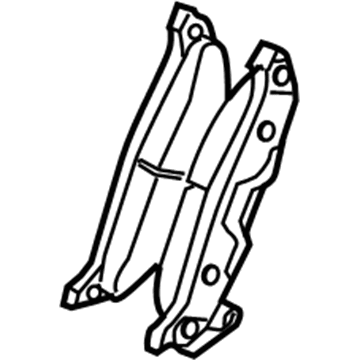
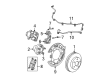
2007 Chrysler Pacifica Brake Pads, Rear Part Number: 5114439AA
$95.85 MSRP: $110.00You Save: $14.15 (13%)Ships in 1-2 Business DaysProduct Specifications- Other Name: Pad Kit - Rear Disc Brake; Disc Brake Pad Set, Rear; Disc Brake Hardware Kit; Rear Pads; Pad Kit Rear Disc Brake; Disc Brake Pad Set
- Position: Rear
- Item Weight: 3.80 Pounds
- Item Dimensions: 9.5 x 4.4 x 3.3 inches
- Condition: New
- Fitment Type: Direct Replacement
- SKU: 5114439AA
- Warranty: This genuine part is guaranteed by Mopar's factory warranty.
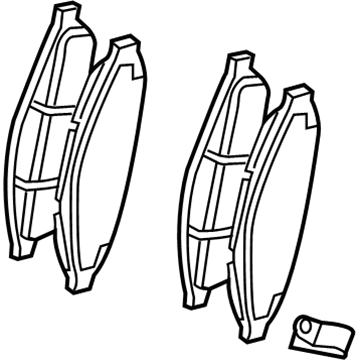
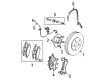
2007 Chrysler Pacifica Brake Pads, Front Part Number: 5134358AA
$111.26Ships in 1-2 Business DaysProduct Specifications- Other Name: Pad Kit - Front Disc Brake; Disc Brake Pad Set, Front; Disc Brake Hardware Kit; Front Pads; Pad Kit Front Disc Brake
- Position: Front
- Item Weight: 5.80 Pounds
- Item Dimensions: 9.6 x 4.6 x 3.5 inches
- Condition: New
- Fitment Type: Direct Replacement
- SKU: 5134358AA
- Warranty: This genuine part is guaranteed by Mopar's factory warranty.
2007 Chrysler Pacifica Brake Pad Parts and Q&A
- Q: How to Service and Repair a Brake Pad on 2007 Chrysler Pacifica?A: Begin maintenance and repairs of the brake pads by unscrewing the master cylinder fluid reservoir cap and lifting the vehicle off the ground. Undo the wheels from the mounting nuts and take out the whole tire and wheel. Clamp the C-Clamp on the brake caliper, having the screw-drive head touch the outside shoe and the hook attach to the caliper's backside. Onto the next step: with slow pressure on the screw-drive, pull both caliper pistons in to clear the outboard brake from the fingers, then dissolve its hold and let go of the C-Clamp. With the outboard shoe no longer secured, adjust the caliper in toward the car on its mounts so the rotor is slightly apart from the inboard brake shoe. Insert a prying tool through the top center of the caliper behind the inboard brake shoe, so as not to damage the pistons or dust boots and gently push against the back of the inboard brake shoe to unhook it from the caliper pistons. Following this, remove the two brake caliper guide pin bolts and take off the disc brake caliper from the brake adapter, hanging it somewhere safe with wire or a bungee cord making sure the hose stays in good shape. Once done, release the brake pads from the disc brake caliper adapter and connect the master cylinder's fluid reservoir cap.
Related 2007 Chrysler Pacifica Parts
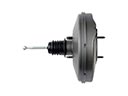 2007 Chrysler Pacifica Brake Booster
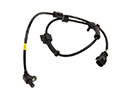 2007 Chrysler Pacifica Speed Sensor
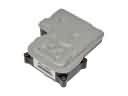 2007 Chrysler Pacifica ABS Control Module
 2007 Chrysler Pacifica Brake Caliper
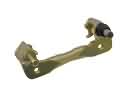 2007 Chrysler Pacifica Brake Caliper Bracket
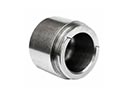 2007 Chrysler Pacifica Brake Caliper Piston
 2007 Chrysler Pacifica Brake Disc
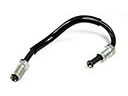 2007 Chrysler Pacifica Brake Line
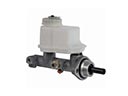 2007 Chrysler Pacifica Brake Master Cylinder
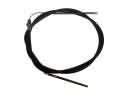 2007 Chrysler Pacifica Parking Brake Cable
 2007 Chrysler Pacifica Parking Brake Shoe
 2007 Chrysler Pacifica Wheel Stud