JeepParts
My Garage
My Account
Cart
OEM 2008 Dodge Viper Steering Column
Steering Column Tilt- Select Vehicle by Model
- Select Vehicle by VIN
Select Vehicle by Model
orMake
Model
Year
Select Vehicle by VIN
For the most accurate results, select vehicle by your VIN (Vehicle Identification Number).
1 Steering Column found
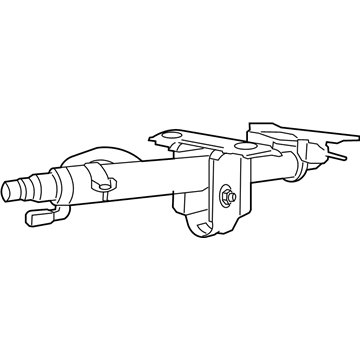
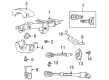
2008 Dodge Viper Steering Column Part Number: 4865679AC
$415.81 MSRP: $499.00You Save: $83.19 (17%)Ships in 1-3 Business DaysProduct Specifications- Other Name: Column - Steering; Column Steering Tilt
- Item Weight: 11.00 Pounds
- Item Dimensions: 27.9 x 10.3 x 9.0 inches
- Condition: New
- Fitment Type: Direct Replacement
- SKU: 4865679AC
- Warranty: This genuine part is guaranteed by Mopar's factory warranty.
2008 Dodge Viper Steering Column Parts and Q&A
- Q: How to Remove a Steering Column on 2008 Dodge Viper?A: First, safeguard the car battery by removing the negative cable, leave the system capacitor alone for at least two minutes and then disengage the air bags. Open the lower panel for the instrument cluster, then remove the three screws holding the air bag in place on the steering wheel. Lift the driver air bag off by tipping it outward, disconnect two squib wiring connectors and the horn wiring connector and remove the driver air bag. Take out the squib wiring routing clips from the steering wheel, point the wheels straight ahead and remove the ignition key from its cylinder. Tighten your grip on the wheel and take out the steering wheel retaining bolt from the shaft. First, steer the wheel retaining bolt into the steering shaft so no more than 13 mm of thread is visible and then screw the steering wheel puller on. Once the wheel is straight on the steering column, grab the puller, take the wheel off the shaft by pulling it, remove the puller and finally remove the steering wheel bolt and wheel. Remove the two connection screws, separate the two shrouds by releasing the clips and pull out the lower shroud from above the column. Separate the steering column from the intermediate shaft extension with the help of the nut that holds the shaft extension cap. If you are restoring the existing steering column, insert a pin or clamp in the tilt lever to hold the steering column securely in place. Take out the four mounting nuts holding the steering column to the instrument panel, unplug the Clock Spring electrical connector and unplug the halo lamp wire from the ignition cylinder. Separate the wires from the switch in the steering column, including the multi-function, windshield wiper and ignition switches before you take out the steering column. If the steering column is replaced, use the key to turn it to ON, press the retaining tab and remove both the key and the cylinder straight out. Lift the Clock Spring's latch hook on the rear lightly so the column housing is no longer held and then lower it to free the lower latch hook. Pull out the two screws on the multi-function/windshield wiper switch and remove the switch straight from the steering column. After that, take out the halo lamp by releasing it from the housing and if you need to, remove the ignition switch from the steering column. First unscrew and remove the switch.
Related 2008 Dodge Viper Parts
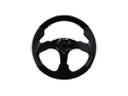 2008 Dodge Viper Steering Wheel
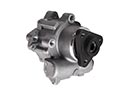 2008 Dodge Viper Power Steering Pump
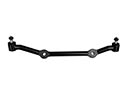 2008 Dodge Viper Center Link
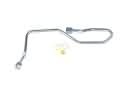 2008 Dodge Viper Power Steering Hose
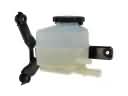 2008 Dodge Viper Power Steering Reservoir
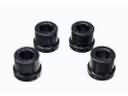 2008 Dodge Viper Rack & Pinion Bushing
 2008 Dodge Viper Rack And Pinion
 2008 Dodge Viper Steering Column Cover
 2008 Dodge Viper Steering Gear Box
 2008 Dodge Viper Steering Shaft
 2008 Dodge Viper Tie Rod Bushing
 2008 Dodge Viper Tie Rod End