JeepParts
My Garage
My Account
Cart
OEM 2006 Jeep Commander Steering Shaft
Steering Stem Shaft- Select Vehicle by Model
- Select Vehicle by VIN
Select Vehicle by Model
orMake
Model
Year
Select Vehicle by VIN
For the most accurate results, select vehicle by your VIN (Vehicle Identification Number).
1 Steering Shaft found
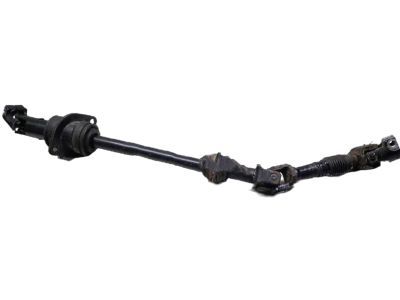
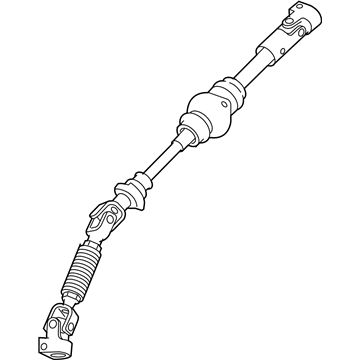
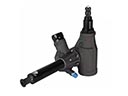
2006 Jeep Commander Intermediate Shaft Part Number: 55197266AA
Product Specifications- Other Name: Shaft - Intermediate; Steering Shaft; Intermed Shaft; Shaft Intermediate
- Replaces: 55197223AB
- Item Weight: 6.40 Pounds
- Item Dimensions: 24.8 x 11.3 x 5.2 inches
- Condition: New
- Fitment Type: Direct Replacement
- SKU: 55197266AA
- Warranty: This genuine part is guaranteed by Mopar's factory warranty.
2006 Jeep Commander Steering Shaft Parts and Q&A
- Q: How to Maintain and Repair a Steering Shaft on 2006 Jeep Commander?A: First, center and lock the steering column module to avoid harm while working on the intermediate steering shaft. Pinch the lower coupling bolt with a swivel socket extension and turn it clockwise to remove it. Pull up and support the vehicle, then remove the left inner fender well to reach the intermediate shaft. Loose the bearing nuts and remove the bracket from the frame. With that, remove the nuts securing the shaft to the bulkhead. The lower nut can be found hidden in the inner area of the fender well and the upper nut is by the master cylinder. Detach the column access cover, clear the hush panel and then remove the pinch bolt from the upper coupling to the column. Push forward on the shaft up to the lines and then take it out at the top of the master cylinder. To install it, work the shaft from on top of the master cylinder through the lines, upwards and attach a new pinch bolt at the upper end on the column. Reattach the column access cover, hush panel and the intermediate shaft mounting nuts to the bulkhead, so that the lower nut can be reached from the inner fender well and the upper nut from the top by the master cylinder. Screw the intermediate shaft bearing nuts into the bracket, set back the bearing bracket in the frame, reinstall the left inner fender well, lower the vehicle and use a long extension with a swivel socket to attach the lower coupling pinch bolt.
Related 2006 Jeep Commander Parts
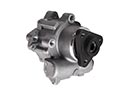 2006 Jeep Commander Power Steering Pump
 2006 Jeep Commander Rack And Pinion
 2006 Jeep Commander Steering Wheel
 2006 Jeep Commander Drag Link
 2006 Jeep Commander Power Steering Cooler
 2006 Jeep Commander Power Steering Hose
 2006 Jeep Commander Power Steering Reservoir
 2006 Jeep Commander Steering Column
 2006 Jeep Commander Steering Column Cover
 2006 Jeep Commander Steering Gear Box