JeepParts
My Garage
My Account
Cart
OEM 2008 Dodge Viper Brake Booster
Brake Power Booster- Select Vehicle by Model
- Select Vehicle by VIN
Select Vehicle by Model
orMake
Model
Year
Select Vehicle by VIN
For the most accurate results, select vehicle by your VIN (Vehicle Identification Number).
1 Brake Booster found
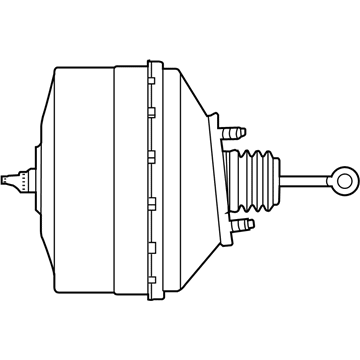
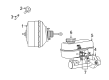
2008 Dodge Viper Brake Booster Part Number: 5093050AA
Product Specifications- Other Name: Booster - Power Brake; Power Brake Booster; Power Booster; Booster Power Brake
- Item Weight: 2.10 Pounds
- Item Dimensions: 13.0 x 12.6 x 15.2 inches
- Condition: New
- Fitment Type: Direct Replacement
- SKU: 5093050AA
- Warranty: This genuine part is guaranteed by Mopar's factory warranty.
2008 Dodge Viper Brake Booster Parts and Q&A
- Q: How to Maintain a Brake Booster on 2008 Dodge Viper?A: Before working on the vacuum brake booster, first remove the negative (-) battery terminal. Take the master cylinder out from its position in the power brake booster. Remove the hoses from the intake manifold at the booster check valve but keep the check valve inside the power brake booster. Throw the brake lamp switch away, as you cannot use it again. Use a tiny screwdriver to lift the center tang on the retaining clip sufficiently to clear the pedal pin end and after that, slide it off and throw it away. Take the rod from the booster input off of the brake pedal pin. Take out the four nuts that link the booster to the car and the pedals assembly. After moving the booster toward the front, slide it up until the mounting studs are pushed through the mounting hole in the dash panel, then remove it from the vehicle. Disassembling the power brake unit is not recommended, because the booster should stay intact in its assembly.
Related 2008 Dodge Viper Parts
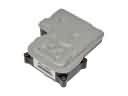 2008 Dodge Viper ABS Control Module
 2008 Dodge Viper Brake Caliper
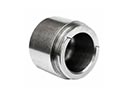 2008 Dodge Viper Brake Caliper Piston
 2008 Dodge Viper Brake Disc
 2008 Dodge Viper Brake Fluid Level Sensor
 2008 Dodge Viper Brake Line
 2008 Dodge Viper Brake Master Cylinder
 2008 Dodge Viper Brake Pad
 2008 Dodge Viper Hydraulic Hose
 2008 Dodge Viper Parking Brake Cable
 2008 Dodge Viper Speed Sensor
 2008 Dodge Viper Wheel Stud