JeepParts
My Garage
My Account
Cart
OEM 2009 Dodge Viper Brake Master Cylinder
- Select Vehicle by Model
- Select Vehicle by VIN
Select Vehicle by Model
orMake
Model
Year
Select Vehicle by VIN
For the most accurate results, select vehicle by your VIN (Vehicle Identification Number).
1 Brake Master Cylinder found
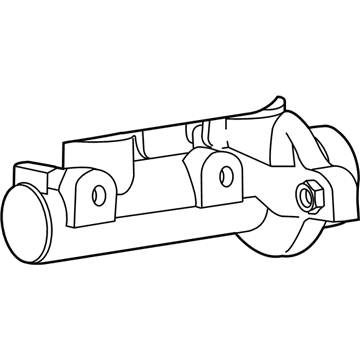
2009 Dodge Viper Master Cylinder Part Number: 5093049AA
Product Specifications- Other Name: Master Cylinder - Brake; Brake Master Cylinder; Master Cylinder Brake
- Item Weight: 2.70 Pounds
- Item Dimensions: 10.9 x 7.9 x 5.4 inches
- Condition: New
- Fitment Type: Direct Replacement
- SKU: 5093049AA
- Warranty: This genuine part is guaranteed by Mopar's factory warranty.
2009 Dodge Viper Brake Master Cylinder Parts and Q&A
- Q: How to Install a Brake Master Cylinder on 2009 Dodge Viper?A: Before installing the brake master cylinder, bench bleed the master cylinder. Before inserting the master cylinder, thoroughly wipe clean the booster area where its seal will sit. Set the master cylinder on the studs on the booster, ensuring the push rod on the booster lines up with its piston. Place the master cylinder against the front of the booster, then fasten the mounting nuts on the u-bolts to 28 Nm (250 in. lbs.) torque. Secure the tube nuts between the master cylinder and the primary and secondary brake tubes at a torque of 17 Nm (145 in. lbs.). Connect the wiring connector to the brake fluid level switch and then reattach the negative terminal of the battery. Make sure the brake fluid covers the whole reservoir as directed; test your brake pedal and if it fails to be firm, bleed the brakes and check for leaks. Conduct an inspection using the vehicle to check the brakes are responding correctly.
Related 2009 Dodge Viper Parts
 2009 Dodge Viper ABS Control Module
 2009 Dodge Viper Brake Booster
 2009 Dodge Viper Brake Caliper
 2009 Dodge Viper Brake Caliper Piston
 2009 Dodge Viper Brake Disc
 2009 Dodge Viper Brake Fluid Level Sensor
 2009 Dodge Viper Brake Line
 2009 Dodge Viper Brake Pad
 2009 Dodge Viper Hydraulic Hose
 2009 Dodge Viper Parking Brake Cable
 2009 Dodge Viper Speed Sensor
 2009 Dodge Viper Wheel Stud